Interactive Tables
Sortable, Searchable, Filterable Tables Your Visitors Can Actually Use
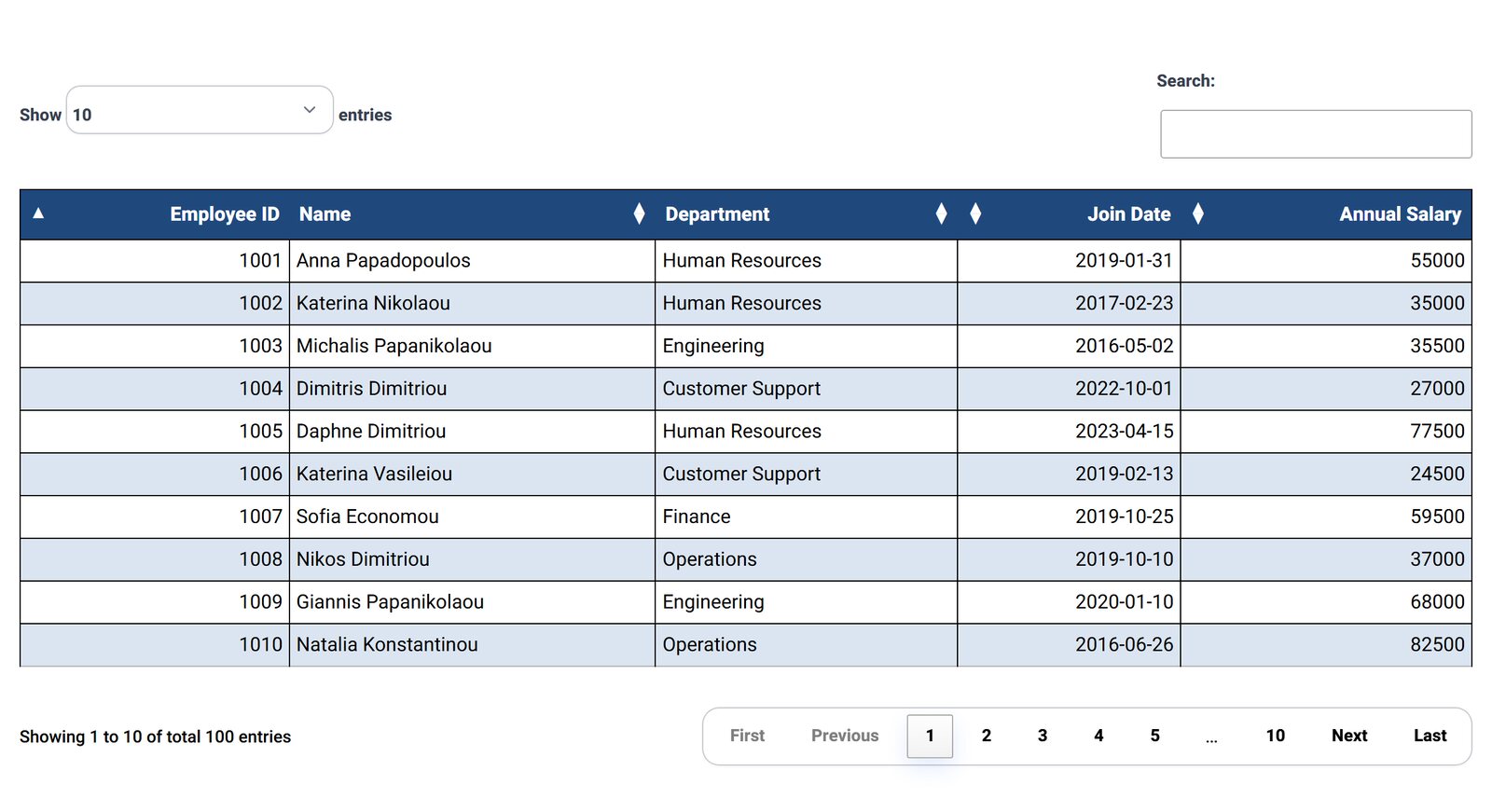
A long table is only useful if people can find their row. Tabulizer adds click-to-sort headers, a search box, column filters and pagination to any table, with no code and no extra plugin.
What's inside: column sorting, date and number sorting, global search with keyword highlighting, text/drop-down/range column filters, dependent filters, external filters above or below the table, pagination, page-length menu, table splits.
What You Get
Sorting That Understands Your Data
Dates sort as dates (YMD, DMY, MDY and more), and numbers sort as numbers, including decimal commas. Tabulizer can detect the type or let you set it per column. Pick an initial sort column and order.
Search With Highlighting
One search box filters the whole table as the visitor types, and can highlight the matching words so they stand out.
Three Kinds of Column Filters
A text box, a drop-down filled with the column's own values, or a from–to range for prices, dates and quantities.
Filters That Depend on Each Other
Choose "Country" and the "City" drop-down shows only that country's cities. Set it up with Column Dependencies.
Pagination Your Way
10, 25, 50, 100, 200 or all rows per page; arrows only or arrows with page numbers; and where the page-length menu and "Showing 1 to 10" info appear.
Hide Rows Until a Filter Is Used
Turn a big list into a lookup tool: the table stays empty until the visitor searches or picks a filter.
Filters That Fit the Question
Each column filter has a match method, so "5" does not find "15" when it should not.
- Smart matches part of a word; Exact and Starts with are stricter.
- Numeric filters handle integers and decimals with a dot or a comma.
- Date filters read YMD, DMY and MDY dates, or detect the format.
- Show filters in a row inside the table, or as a styled filter panel above or below it.
- For special values like part numbers or sizes, define a custom data type with its own sort order.
Split a Long Table into Smaller Ones
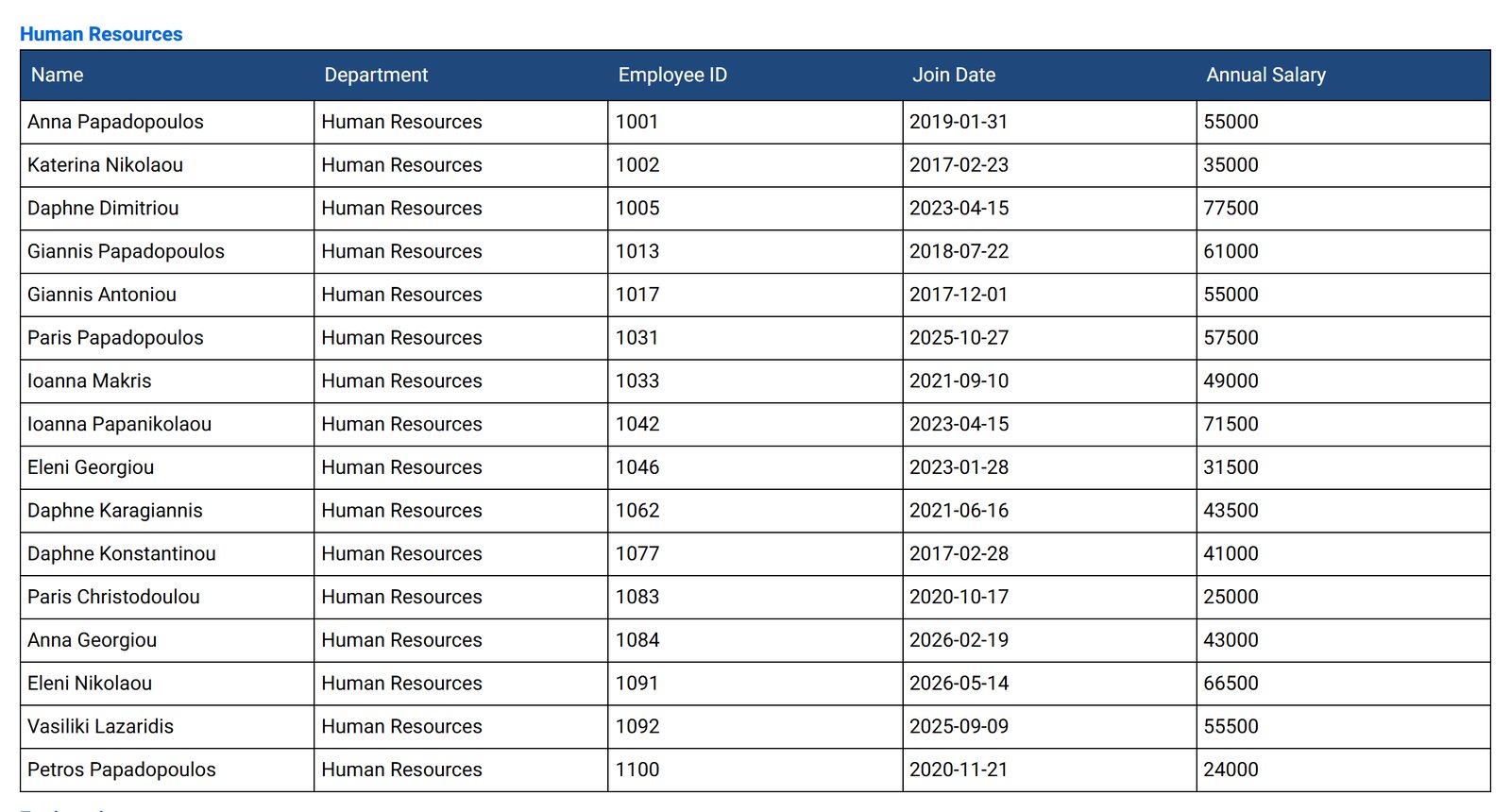
Sometimes the answer is not a pager but a table per group. Tabulizer can split one data set by the value of a column, such as one table per department, or by a maximum number of rows. The groups can sit on the same page, on separate pages, or behind show/hide headings. More about table splits.
How It Works
- Open the Table Wizard and choose your table's look.
- Tick Sorting, Search, Column Filters and Pagination and set their options. The preview updates as you go.
- Save the ruleset and apply it to pasted data or a data source in Joomla or WordPress.
Good Fit For
Product and price lists, staff and member directories, course schedules, dealer locators, results tables, document libraries and any list your visitors search more than they read.
Questions
Does it work with thousands of rows?
Yes. For very large tables, turn on server-side processing and sorting, search and paging run on your server.
Will the filters work on phones?
Yes. Combine them with a responsive pattern so the table itself also fits small screens.
Can I sort only some columns?
Yes. Sort all columns, all except some, or only the ones you list.
Do I need to know JavaScript?
No. Everything on this page is a checkbox or a drop-down in the Table Wizard.
Sort, Search and Filter a Real Table
Try the demo, then build your own.