Contact Forms
Contact Forms with Email Notifications and a Submissions Inbox
Build a contact, enquiry or registration form in the Form Builder, place it on any page, and read every submission in your back end. Visitors get a confirmation email; you get notified.
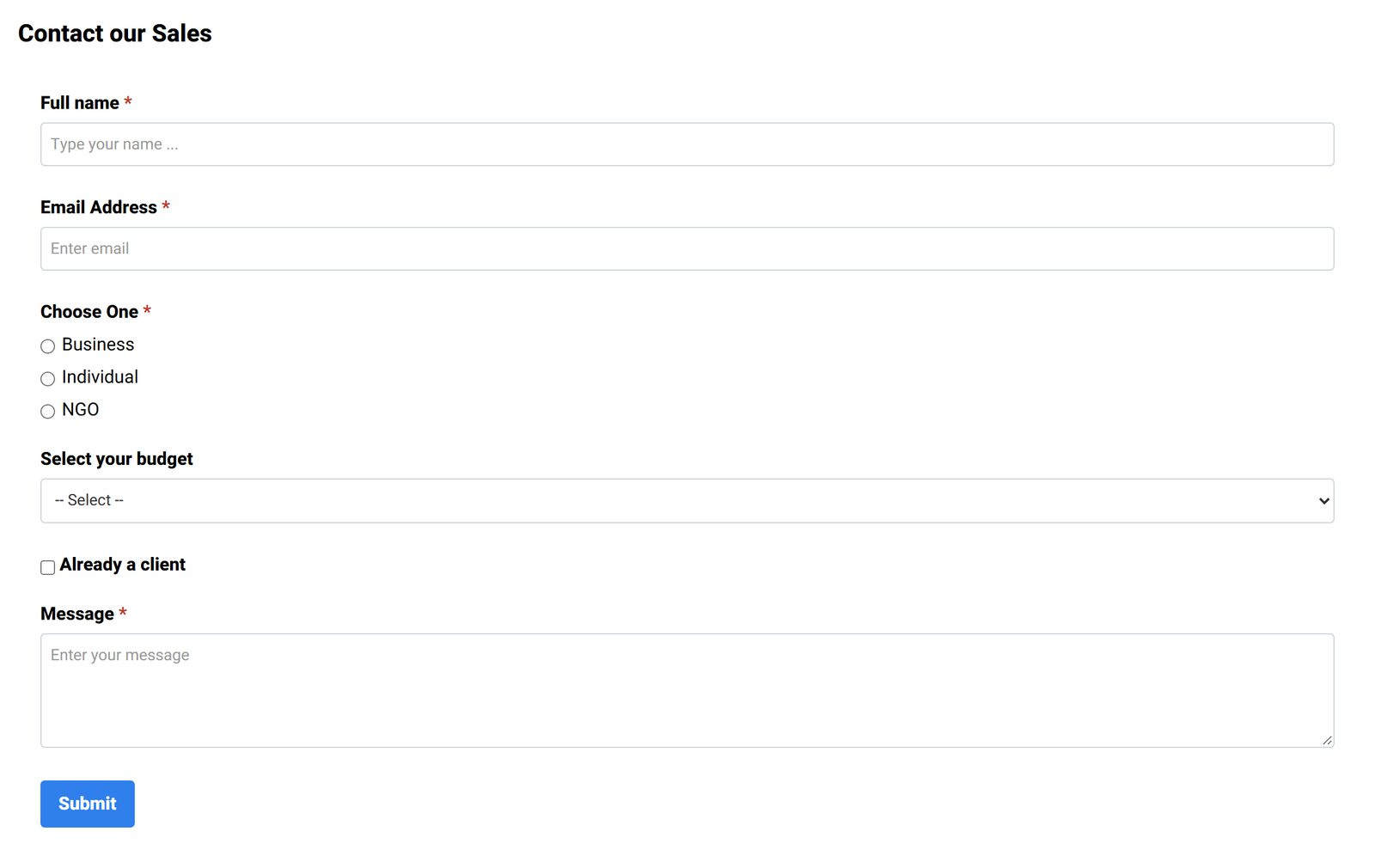
What's inside: text, email, text area, radio, checkbox and drop-down fields, Google reCAPTCHA, visitor confirmation email, admin notification email, merge tags, thank-you message or redirect, Form Submissions screen, filters and search, read/new status, CSV export, automatic deletion.
What You Get
The Fields You Need
Text input, email input, text area, radio buttons, checkboxes, drop-downs, labels, headings, CAPTCHA and a submit button.
Google reCAPTCHA
Add your site and secret keys once, in User Preferences, and every form can use them.
Emails That Write Themselves
Send a confirmation to the visitor and a notification to you, with your own subject, body and sender.
After Submit
Show a thank-you message on the page, or redirect to a page of your choice.
Submissions Inbox
Every submission is saved on your site and listed in the Form Submissions screen.
Privacy Controls
Choose whether to store IP addresses, and delete old submissions automatically after 30, 60, 90, 180 or 365 days.
Personalize Emails with Merge Tags
Use these tags in the subject or body of either email:
{form_title} {site_name} {site_url} {submission_date} {ip_address} {field_name} {all_fields}For example: "Thanks {name}, we received your message on {submission_date}." Use {all_fields} to list every answer in your notification.
Every Submission in One Place
You do not have to dig through your mailbox. The Form Submissions screen in the Tabulizer back end keeps every message from every form.
See What Is New
The list shows the form, the visitor's email, the date and whether it is new or read. Sort by any of them.
Filter and Search
Narrow the list by form, status or date range, or use the search box.
Read and Handle
Open a submission to read every answer, mark it as read or new, or delete it.
Export to CSV
Download submissions for a spreadsheet, a CRM or a mailing list.
Clean Up Old Submissions
Remove everything older than each form's retention period with one click, or let automatic deletion do it.
How It Works
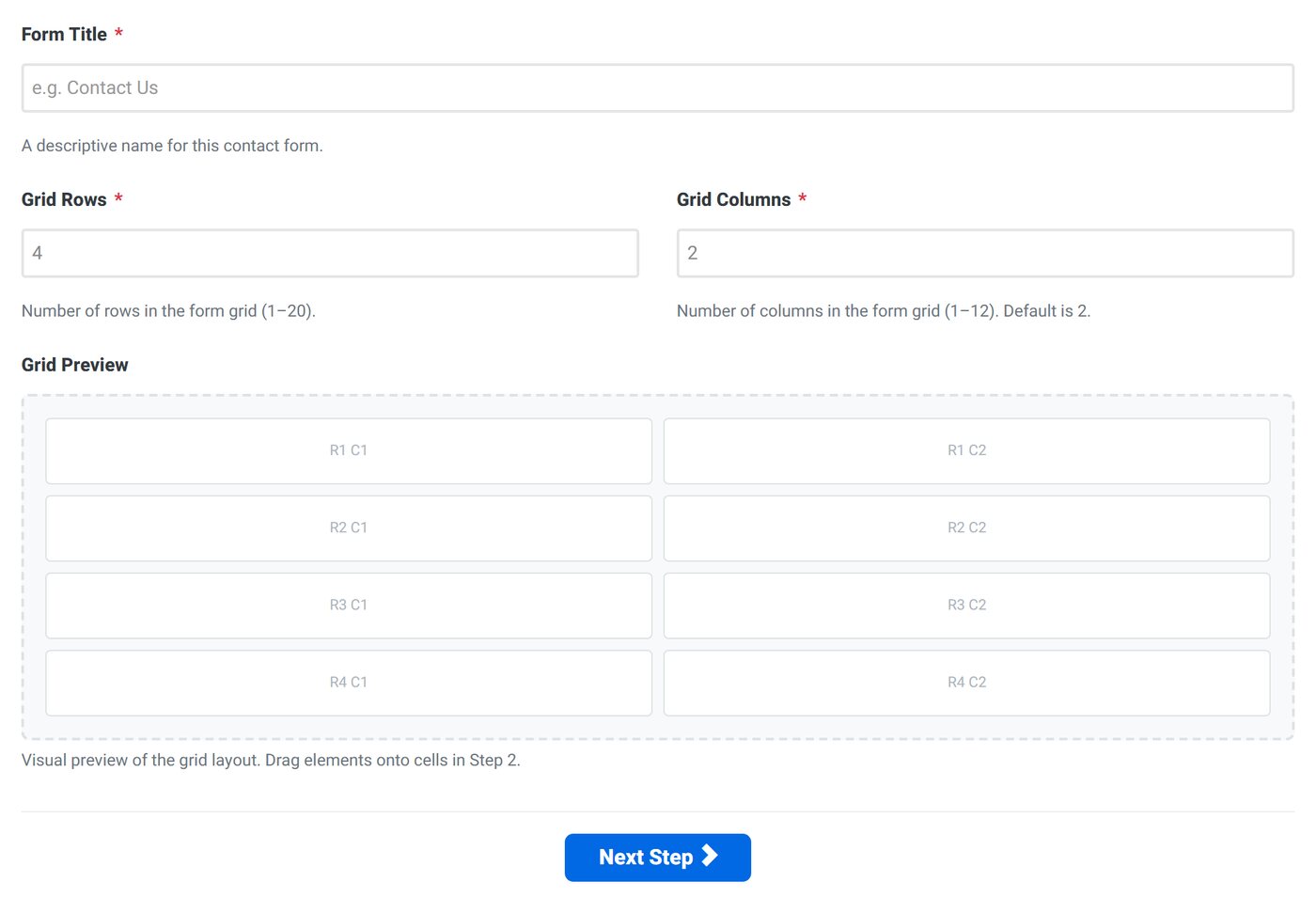
- Add and arrange your fields in the Form Builder, marking required ones.
- Set the emails and what happens after submit, and turn on reCAPTCHA.
- Place the form in any Joomla article or WordPress page, and find submissions in the back end.
Good Fit For
Contact and enquiry pages, quote requests, event registrations, callback requests, job applications, feedback and support forms.
Questions
Do I still get submissions by email?
Yes, if you turn on the admin notification. Every submission is also kept in the back end, so you can always find it again.
Can I keep a copy of my form?
Yes. Export the form configuration as JSON.
Which membership includes forms?
The Contact Form Wizard is in Gold: 12 months for €96, together with pricing tables, calendars and calculators.
Try the Contact Form Demo
See the fields, validation and thank-you message in action.