Calendars & Timelines
Event Calendars and Timelines from a Spreadsheet or Google Calendar
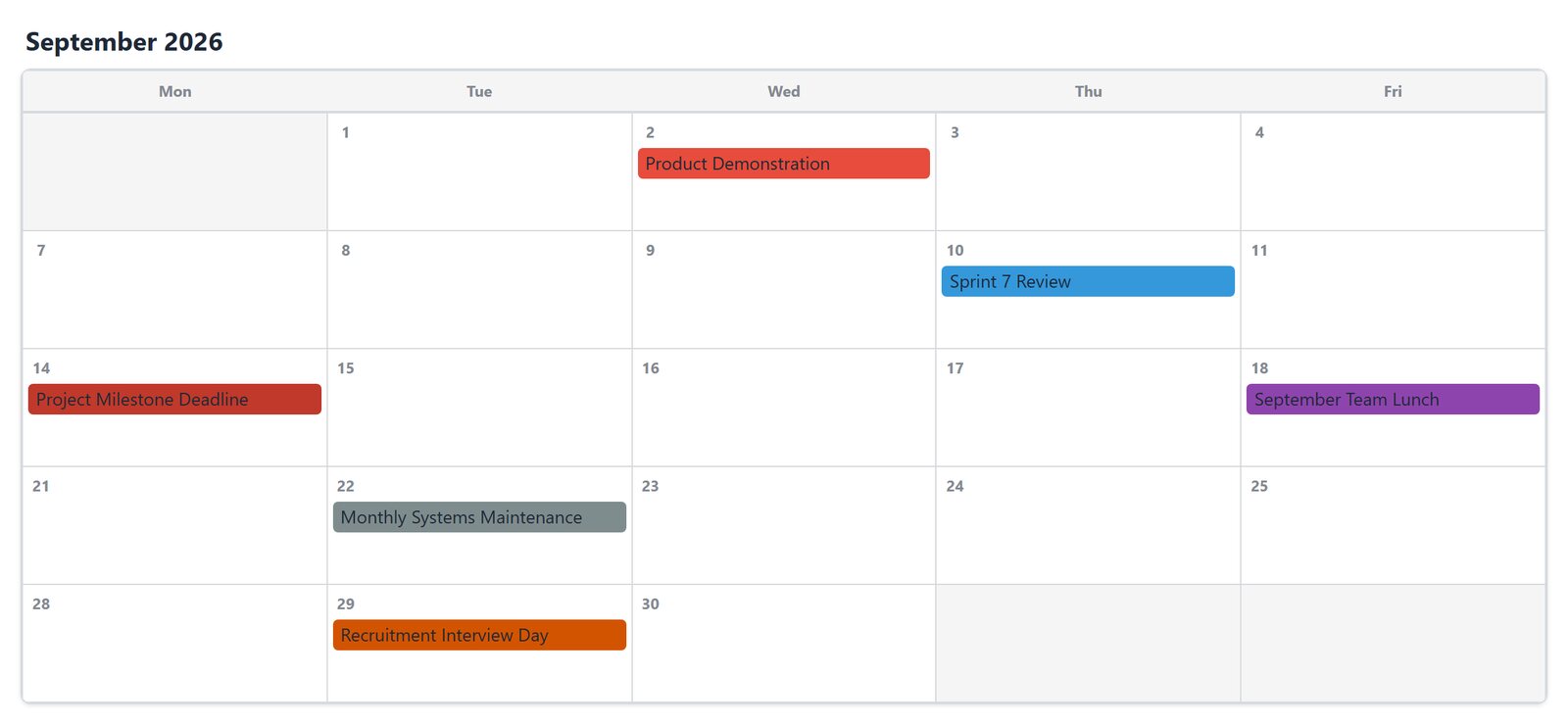
Keep your events where you already manage them, in a spreadsheet or a shared Google Calendar, and show them on your site as a monthly calendar, an agenda or a timeline. Visitors can filter, search and add events to their own calendar.
What's inside: monthly, weekly, daily, agenda and year calendars, combined calendar, vertical and horizontal timelines, recurring events, categories and colors, event details dialog, category filters, search, "Add to calendar" (.ics), Google Calendar ICS source, WCAG contrast check.
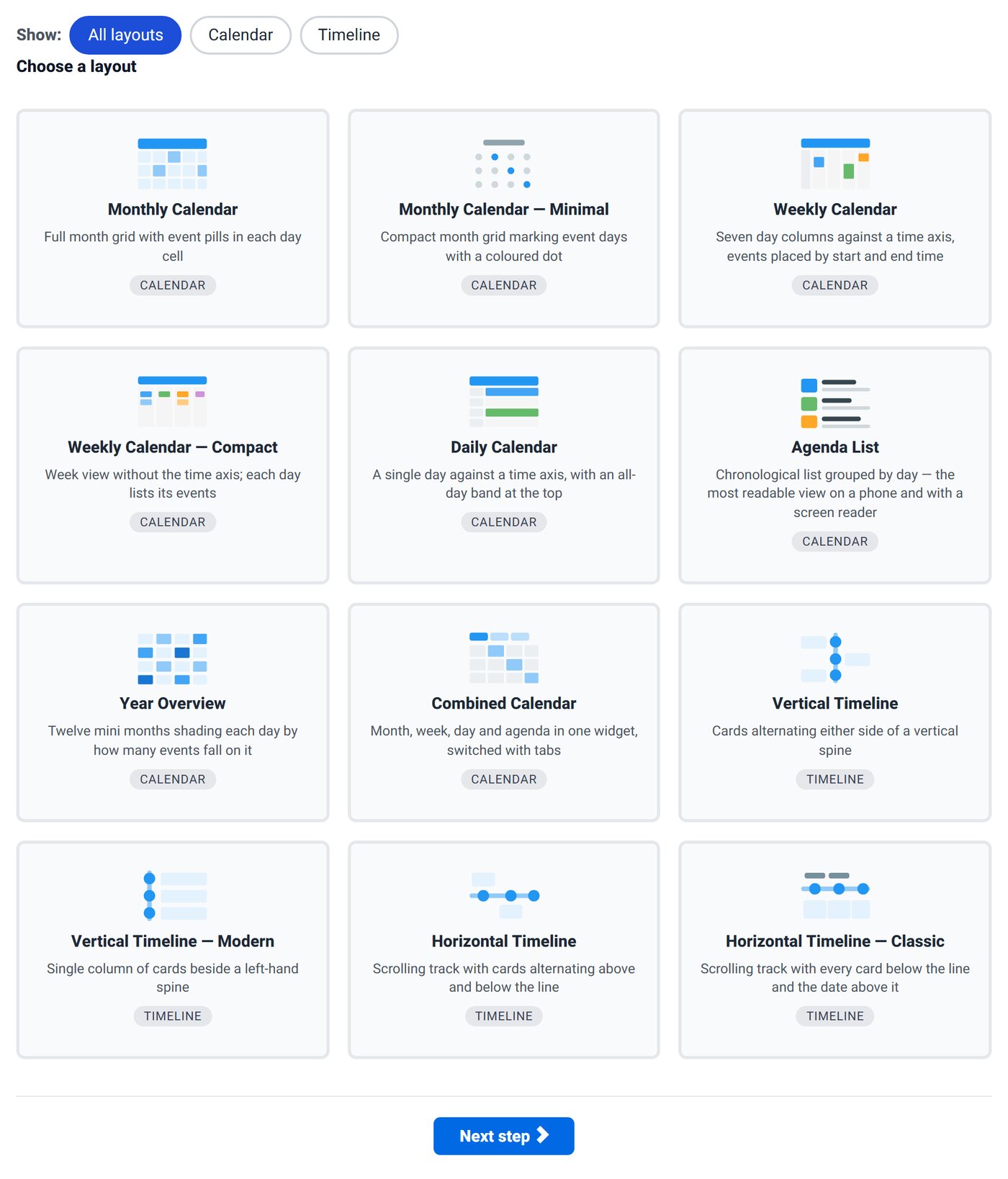
12 Layouts to Start From
Calendars
Monthly, Monthly Minimal, Weekly, Weekly Compact, Daily, Agenda List, Year Overview and a Combined Calendar that switches between views.
Timelines
Vertical, Vertical Modern, Horizontal and Horizontal Classic, with milestones and optional alternating sides.
Color Presets
Ocean, Forest, Sunset, Plum, Slate and Midnight, or your own colors. The wizard warns you when text contrast falls below WCAG AA.
What Your Visitors Get
Event Details
Click an event for its time, location, description and link in an accessible dialog.
Filters and Search
Category buttons and a search box narrow a busy calendar down to what matters to them.
Add to Calendar
One button downloads an .ics file for Google Calendar, Outlook or Apple Calendar.
Easy Navigation
Previous and next, jump to a month or year, highlight today, and "+N more" when a day is full.
Your Events, Your Columns
Map the columns of your spreadsheet to the calendar: start date and title are required; description, category, color, start and end time, end date, all day, location, link, milestone, repeat and repeat-until are optional. Repeating events can be daily, weekly, fortnightly, monthly or yearly.
start_date,title,category,start_time,location,repeat
2026-09-10,Sprint Review,Engineering,10:00,Room 2,fortnightly
2026-09-18,Team Lunch,Social,13:00,Cafe Nero,
2026-09-29,Interview Day,HR,09:00,Head office,
Prefer Google Calendar? Use the Google Calendar (ICS) data source, with a date range, a maximum number of events and keyword filtering.
Good Fit For
Club and school calendars, course and training schedules, venue and community events, conference agendas, project roadmaps, company history timelines and product release notes.
Questions
Can search engines read my events?
Yes. Tabulizer also outputs the events as a plain HTML table, which search engines and visitors without JavaScript can read.
Does it respect reduced motion?
Yes. "Reveal on scroll" animations turn off for visitors who ask their device for reduced motion.
Which membership includes calendars?
The Calendars & Timelines Wizard is in Gold: 12 months for €96.
Click Through the Calendar Demo
Switch views, filter by category and open an event.