Calculators
Quote, Loan and Cost Calculators That Turn Visitors into Leads
"How much will it cost me?" is the question that brings people to your site. Answer it with a calculator, and if you like, ask for an email address before showing the result. Build it in the Calculator Wizard with spreadsheet-style formulas, and find every lead in your back end.
What's inside: input fields, drop-downs and radio buttons, formulas with SUM, AVERAGE, ROUND, IF and more, price lists from CSV, conditional messages, email-gated results, name/phone/company fields, consent checkbox, optional reCAPTCHA, lead notification emails, result by email, Calculator Leads screen with CSV export.
What You Get
Form Elements
Text inputs, drop-downs, radio buttons, labels, headings, text blocks, result fields, and Calculate and Reset buttons.
Formulas You Already Know
Arithmetic, powers and roots, ROUND, CEIL, FLOOR, SUM, AVERAGE, MEDIAN, MIN, MAX, COUNT and IF, plus if/else blocks for multi-step pricing.
Price Tables Behind the Scenes
Load rates or prices as CSV or a grid and refer to them like spreadsheet cells (A1, B2:B6). Or use constants only.
Messages That React
Show a message when a condition is met: "Orders over 500 units qualify for a discount."
Lead Capture
Ask for an email address before showing the result, and choose whether the result appears on the page or goes to the visitor's inbox.
Leads in Your Back End
Every lead is listed under Calculator Leads, and you can get an email the moment one comes in.
A Formula Example
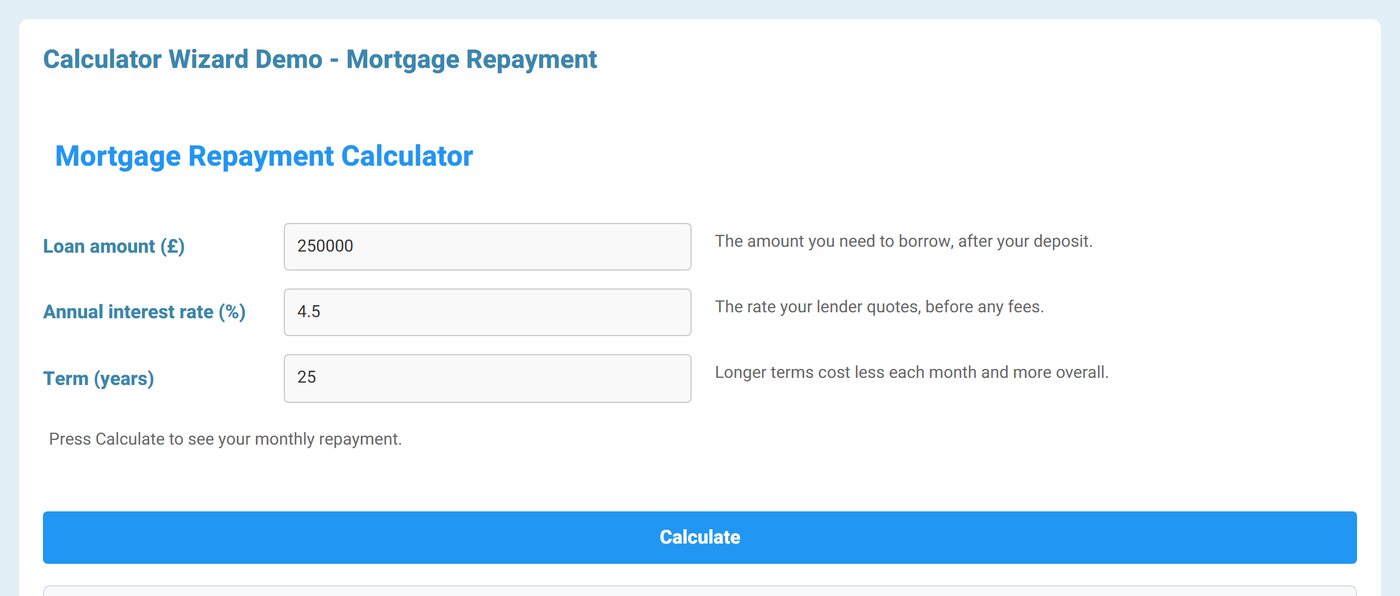
A monthly loan repayment is one formula that uses three inputs:
round[ input[loan] * (input[rate]/1200) / (1 - power[1 + input[rate]/1200, -input[years]*12]), 2 ]Turn a Result into a Lead
Switch on Require an email address to see the result and set up the gate in the wizard:
- Your words: heading, description, email field label, button text and a thank-you message.
- Extra fields: also ask for name, phone or company. Ask only for what you will act on.
- Consent: a required checkbox with your own text and an optional link to your privacy policy.
- reCAPTCHA: optional, using the keys already set in Tabulizer.
- Result by email: send the figure to the visitor instead of showing it, so only real inboxes get the answer. Use
{Result},{all_fields},{site_name},{form_title}and{submission_date}in the message. - Notify me: email every new lead to the addresses you choose, or to the site's own address.
Every Lead in One Place
The Calculator Leads screen in the Tabulizer back end lists every lead from every calculator.
See the Result They Got
Each lead shows the calculator, the email address, the calculated result, the date and whether it is new or read.
Find Leads Fast
Filter by calculator, status and date range, search the list, and sort by any column.
Work Through Them
Open a lead to see all its answers, mark leads as read or new, and delete the ones you have handled.
Export to CSV
Download your leads for your CRM, mailing list or sales team.
Clean Up Old Leads
Remove leads older than their retention period with one click.
Good Fit For
Mortgage and loan repayments, insurance and service quotes, shipping costs, solar and energy savings, ROI and pricing estimators, fitness and nutrition calculators, and B2B "get a price" pages.
Questions
Do I have to capture leads?
No. The email gate is optional; a calculator can simply show the result.
Can the prices come from a spreadsheet?
Yes. Paste CSV or use the grid, then refer to cells and ranges in your formulas.
Where are the leads stored?
On your own site, in the Tabulizer back end under Calculator Leads, not with a third-party service.
Which membership includes calculators?
The Calculator Wizard is in Gold: 12 months for €96, together with pricing tables, calendars and contact forms.
Try the Calculator Demos
Enter your own numbers and see the lead capture step in action.