Image Galleries
Photo Galleries, Carousels and Portfolios from a List of Images
A gallery is really a table: image, title, description, category, link. Tabulizer's Gallery Wizard turns that list into a grid, masonry wall, carousel or flip-card showcase, with a lightbox built in.
What's inside: classic grid, masonry, carousel, showcase and flip card layouts, lightbox with next/previous and counter, categories, captions, alt text, links, color palettes, fonts, spacing, rounded corners, shadows.

Five Layouts
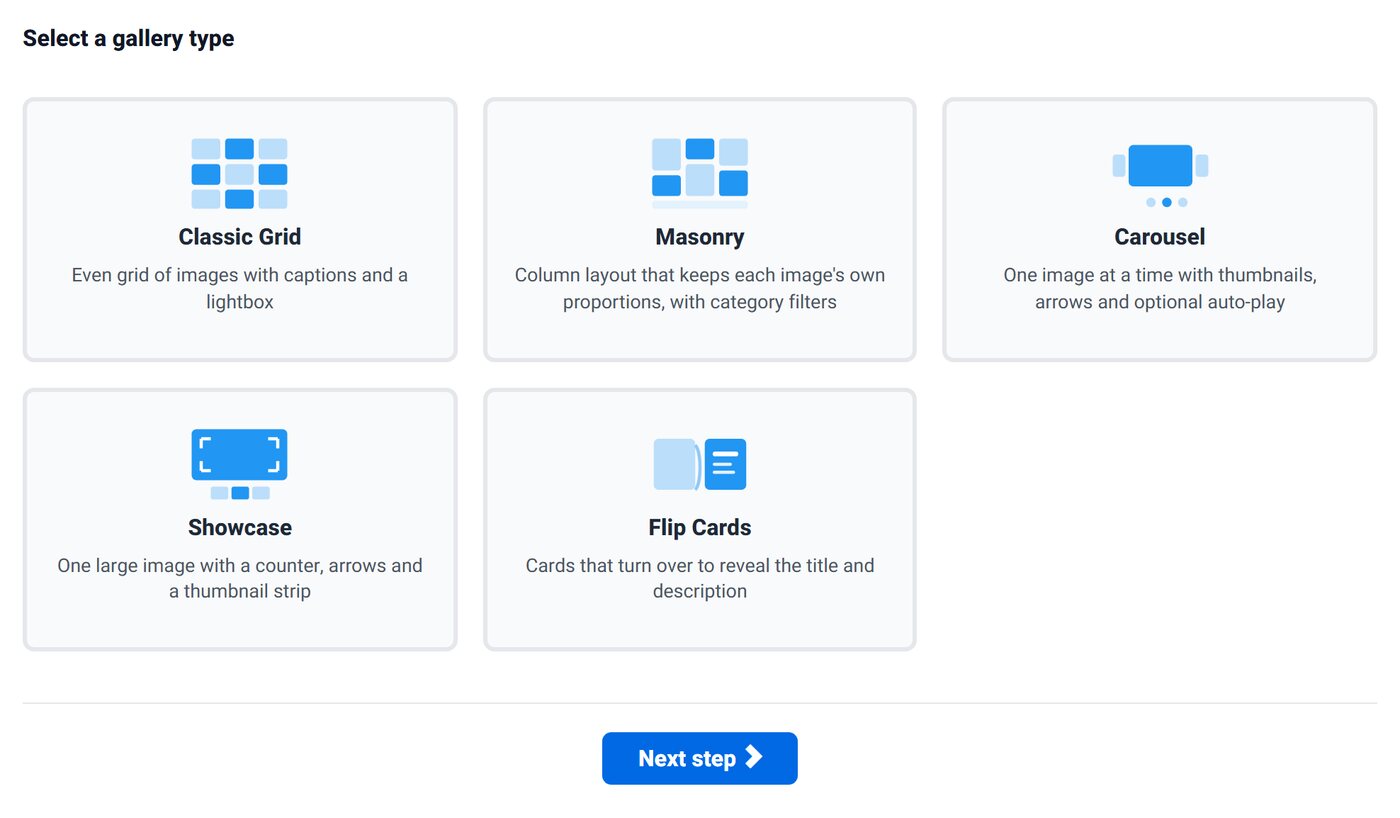
Classic Grid
Even rows of thumbnails with titles: product ranges, team photos, property listings.
Masonry
Columns that keep each image's own proportions, with category filters. Suits photography and portfolios.
Carousel
One image at a time with thumbnails, arrows and optional auto-play, for featured work.
Showcase
One large image with a counter, arrows and a thumbnail strip, for case studies and hero products.
Flip Cards
Cards that turn over to reveal the title and description.
How It Works
- List your images with columns for image, title, description, category, alt text and link.
- Pick a layout and a palette (Ocean, Ink, Forest, Sunset, Plum or Midnight), then adjust colors, fonts, corner radius, spacing and shadows.
- Save the ruleset and use it with pasted data or a data source. Add a row to add a photo.
What You Get
Lightbox Included
Full-size images with close, next and previous buttons and an image counter. No extra plugin needed.
Alt Text From Your Data
An alt column gives every image a text alternative for screen readers and search engines.
Categories
Map a category column and the Masonry layout adds category filters, so visitors can narrow a large gallery.
Good Fit For
Photographer and designer portfolios, real estate listings, product catalogs, restaurant menus with photos, team pages, event photo albums and before/after project showcases.
Questions
Where do the images live?
Anywhere you can link to: your media folder or an image URL. The gallery reads the paths from your data.
Can visitors open a link from an image?
Yes. Map a link column and each item can point to a product, article or external page.
Which membership includes galleries?
The Gallery Wizard is in Silver (6 months, €58) and Gold (12 months, €96).
Browse the Gallery Demo
Open the lightbox, flip the cards, swipe the carousel.