Restaurant Menus and Service Price Lists
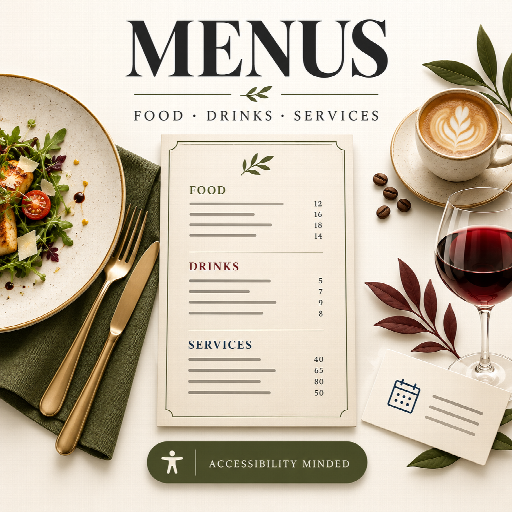
Restaurant Menus and Service Price Lists
Maintain one row per dish, drink or service. Tabulizer handles category sections, consistent prices, optional images, declared badges, and mobile presentation.
Accessibility implementation and verification guide · Deutsche Kurzanleitung
1. Install and choose a preset
- Import
rs_menus.zipthrough Tabulizer's ruleset archive import. - Select Restaurant Menu, Café Menu, Wine and Drinks List, or Service Price List.
- Use the embedded sample data or its matching CSV data source, then replace the rows with your own content.
- Publish the result using your normal Tabulizer workflow.
The restaurant preset uses compact cards with optional photographs, the café preset emphasizes sizes and compact lists, the wine preset uses restrained serif item headings and glass/bottle prices, and the services preset emphasizes duration and pricing qualifications. All use the same input contract.
Keep the presets' transparent theme, zero table header rows, and role^presentation table attribute. Generic responsive tables, sorting, pagination and table-wide searching are unsuitable after this modification: the output is one HTML cell containing its own structured menu. Use the menu's search and filters instead. Copy a ruleset before customizing it so an archive update does not overwrite your choices.
The add_files="js[rs_menus.js]" rule loads the optional local enhancement. It has no external dependency and makes no network requests. Without JavaScript, the full published menu and category links remain readable; search and filter controls remain hidden. For dynamic insertions, call window.TabulizerMenus.init() after adding the markup, or dispatch document.dispatchEvent(new Event('tabulizer:menus:refresh')). Initialization is idempotent.
For manual installation, place modify/menus.php in Joomla's templates/tabulizer/modify/ or WordPress's wp-content/plugins/tabulizer/templates/tabulizer/modify/. Place CSS, JS, language, rules and other files in the corresponding template folders. Archive import is preferred because it handles these associations together.
2. Input: one row per item
The first row names the columns. The required columns are category, item and price; the price cell itself may be blank. Column order can change. Header names are trimmed and case-insensitive; data codes are case-sensitive. Omit unused optional columns or leave their cells empty. Unknown or duplicated column names invalidate the input.
category,item,price
Starters,Greek salad,8.50
Starters,Grilled mushrooms,7.00
Main courses,Grilled sea bass,19.00
Categories appear in first-seen order. All items from the same exact category are grouped together even when their source rows are separated. Item order within each category follows source order. Category text is case-sensitive: Drinks and drinks are separate categories. To move or reorder an item, edit its category or rearrange the source rows.
| Column | Purpose and rules |
|---|---|
category |
Required nonempty category name, such as Starters, Coffee or Hair. |
item |
Required nonempty name. Repeated names are allowed. |
price |
Required column. Blank means no amount is shown; zero is an explicit zero price. Use dot decimals and no currency or grouping, for example 1234.50. |
description |
Ingredients, preparation, vintage/origin notes or a service explanation. Newlines are preserved visually. |
price_label |
Optional primary-price label: Regular, Glass 150 ml or 30 minutes. Requires a primary price. |
price2, price2_label |
Second amount and its required label. Requires the primary amount. |
price3, price3_label |
Third amount and its required label. Requires the first two amounts. |
price_mode |
fixed (default), from, market or quote. See pricing below. |
image |
Optional HTTP(S) image URL or site-root-relative path beginning with exactly one slash. Example: /images/menu/salad.jpg. Empty means no image; no placeholder is needed. |
image_alt |
Describe information conveyed only by the image. Leave empty when it is decorative or redundant with adjacent text. See the accessibility guide. |
tags |
Pipe-separated lowercase badge codes, for example vegan|spicy. These also populate the optional tag filter. |
allergens |
Pipe-separated supported allergen codes, such as milk|eggs. Only explicitly provided declarations are displayed. |
duration |
Author-provided text, for example 45 minutes or 30–60 minutes. The generated Duration label is translated. |
status |
available (default), unavailable or hidden. Unavailable items remain visible with a text label and no item link. Hidden items are omitted entirely. |
featured |
0 (default) or 1. Featured items get a Recommended label and accent border; they are not reordered. |
note |
Item-specific qualification, such as Per person or Final price confirmed during consultation. |
url |
Makes an available item's name a link to an existing ordering, booking or information page. Use HTTP(S) or a site-root-relative path. Opens in the same tab. |
Text is treated as plain text and escaped. HTML is shown literally. URLs reject credentials, unsupported schemes, protocol-relative paths, backslashes and internal raw whitespace/control characters. Percent-encode spaces in paths. Images use fixed dimensions with responsive CSS, lazy loading, and normal text alternatives.
3. Prices and availability
- Fixed: numeric prices are formatted normally. A blank fixed price produces no price text. It never becomes Free.
- From: requires a primary numeric price. A translated From prefix appears with each supplied amount.
- Market: all amount and price-label cells must be blank. Displays translated Market price.
- Quote: all amount and price-label cells must be blank. Displays translated On request.
Amounts accept 1–9 integer digits and up to four decimal places. No minus sign, currency symbol, comma decimal, grouping or exponent notation is accepted in source amounts. Output defaults to two decimal places, rounding to the selected precision. Source values are always dot-decimal, including in German CSV files.
Additional amounts require labels so visitors can distinguish options. Currency is configured once per menu, not inferred or converted. A menu can have no currency symbol by setting currency=. For tax or price qualifications, use a footer or item notes in your audience's language. No tax computation or currency conversion is performed.
Hidden records are still validated but their content is not emitted into the HTML, filter options, search data or allergen legend. A menu with all items hidden displays a translated empty-state message. A header-only or entirely blank source remains unchanged.
4. Examples
Café: labelled sizes
category,item,price_label,price,price2_label,price2,price3_label,price3
Coffee,Cappuccino,Regular,3.50,Large,4.20,,
Coffee,Filter coffee,Small,3.00,Medium,3.60,Large,4.20
Wine,House red,Glass,5.00,Bottle,19.00,,
Rule: menus$type=cafe;title=Coffee and refreshments.
Services: duration and price mode
category,item,duration,price,price_mode
Hair,Cut and finish,45 minutes,35.00,from
Treatments,Consultation,30 minutes,,quote
Introductions,Initial conversation,15 minutes,0,fixed
Rule: menus$type=services;title=Our services. The zero amount is deliberate; use a note such as No charge if useful.
Restaurant: an image and declared information
category,item,description,price,image,image_alt,tags,allergens,featured
Starters,Greek salad,"Tomato, cucumber, olives and feta",8.50,/images/menu/salad.jpg,,vegetarian,milk,1
Main courses,Lentil bowl,Slow-cooked lentils with herbs,14.00,,,vegan|spicy,,0
The salad photo is decorative here because the same information is available in text. If the photo conveys additional essential information, provide a concise image_alt value. Optional photos need to be uploaded and managed through your site; the archive does not download them.
The archive includes four English CSV examples and an additional German café example, data/menus_cafe_de.csv. The four presets' embedded samples match their English data-source files. Sample names, descriptions and prices are illustrative.
5. Tags, allergens and filtering
Built-in tags: vegetarian, vegan, spicy, gluten_free, dairy_free. Custom tag codes may contain lowercase ASCII letters, digits and underscores, start with a letter, and contain at most 40 characters. Their label uses TAG_CODE from the language file, or a readable version of the code as fallback. For example, add TAG_HOUSE_SPECIAL="House special" for house_special.
Supported allergen codes: gluten, crustaceans, eggs, fish, peanuts, soy, milk, nuts, celery, mustard, sesame, sulphites, lupin, molluscs. Unknown codes invalidate the source. Empty lists are allowed; empty segments such as vegan||spicy are invalid. Duplicate codes are deduplicated.
Allergen names appear in full on each relevant item, with a legend of declarations used by published items. The function never infers allergens or dietary suitability from ingredients or names. Missing declarations are not presented as an assurance of absence. The business remains responsible for accurate content.
Search matches category, name, description, duration, notes and translated tag labels. Multiple search words must all occur; matching ignores case and common combining accents. A selected tag is combined with the text search using AND. Only one tag is selected at a time. Unavailable items remain searchable. Counts and empty states are announced through a polite status region. Reset clears both fields. Each menu on a page filters independently.
6. Modification options
The full rule begins with menus$. Options are key=value pairs separated by semicolons. Values may include equals signs, but semicolons are reserved separators. Unknown keys or invalid values leave the entire source unchanged.
menus$type=restaurant;title=Our menu;subtitle=Seasonal dishes
menus$type=cafe;currency=€;currency_position=after
menus$type=wine;search=0;filters=0
menus$type=services;heading_level=3;footer=Prices confirmed before your appointment
| Option | Default | Values |
|---|---|---|
type |
restaurant |
restaurant, cafe, wine, services |
title |
Translated preset title | Custom plain text. Blank uses the default. |
subtitle, footer |
Empty | Optional author text. |
currency |
€ |
Plain symbol or code, e.g. EUR, USD, £; blank for no symbol. |
currency_position |
auto |
auto, before, after |
decimals |
2 |
0, 1, 2, 3, 4 |
decimal |
auto |
auto, dot, comma |
thousands |
auto |
auto, dot, comma, space, none; cannot equal the decimal separator. |
search, filters |
1 |
0 hides the respective control; 1 enables it when JS runs. Tag filtering is offered only when published tags exist. |
navigation |
1 |
0 or 1; category links appear only for multiple categories. |
images |
1 |
0 or 1; image data still validates when display is disabled. |
heading_level |
2 |
2, 3 or 4 for the menu title. Category and item headings use the next two levels. |
lang |
Inherited from page | Optional content-language tag such as en-GB or de-DE. It marks the output language; it does not switch Tabulizer's translation loader. |
7. English and German
The function uses Tabulizer's inherited text() helper. The runtime loads English first, then the site-language file, e.g. de-DE selects menus.de.ini. English fallback strings are included in the function. Copy language/menus.en.ini to menus.xx.ini to add a language, preserving keys and %s placeholders. RESULTS takes the matching and total item counts; positional forms %1$s and %2$s are supported for reordering.
Generated UI labels, price modes, availability, standard tags, allergen names and empty states are translated. Names, categories, descriptions, durations, price labels, custom titles, notes and footer text are author content and must be supplied in the audience's language. Keep field names and data codes unchanged.
Default English format: € 1,234.50. Default German format: 1.234,50 €. Spacing between symbol and amount is nonbreaking. These defaults come from DECIMAL_POINT, THOUSANDS_SEPARATOR and CURRENCY_POSITION; explicit modification options override them. The source number stays 1234.50 in either language.
8. Accessibility and responsive presentation
The component is designed to support WCAG 2.2 Level AA. Built-in measures include native controls with visible labels, consistent keyboard focus indicators, semantic sections/lists/headings, explicit status text, a named menu region, announced result counts, and readable layouts without JS. Heading level, content language and image descriptions can be adapted to the host page.
The four palettes have dark text and sufficiently contrasting controls. Colors do not carry the only indication of recommendation or availability. No animation or automatic scrolling is needed; reduced-motion and forced-color modes are respected. At narrow viewport or container widths, items and price options stack in the same reading order. Text can wrap without clipped fixed-height descriptions.
Read the accessibility guide for the test coverage, author checklist, standards mapping and claim wording. A complete live page must also be assessed with its actual theme, content, image alternatives, headings and scripts. These files do not constitute independent certification.
9. Print and optional styling
Use the browser's Print command to print or save a PDF. Controls and category navigation are omitted. The complete published menu is printed even if a search or tag filter is active. Items marked hidden in the source remain absent. Item cards avoid page breaks where possible; very long content can span pages.
The palettes are warm olive/charcoal for restaurants, coffee/cream for cafés, burgundy/ivory for drinks and navy/white for services. Override variables after the archive stylesheet if branding is needed, then recheck contrast:
.mn-menu.mn-restaurant {
    --mn-text: #202820;
    --mn-muted: #4b554b;
    --mn-accent: #46552c;
    --mn-bg: #fcfbf7;
    --mn-surface: #ffffff;
    --mn-soft: #eef1e5;
    --mn-control: #6b7563;
    --mn-focus: #174ea6;
}
/* Increase anchor clearance if your site has a fixed header. */
.mn-menu .mn-section { scroll-margin-top: 7rem; }
10. Validation and troubleshooting
Validation is atomic: no partial transformation, no page output, and no changes to the source when a check fails. If you see raw data, check:
- Required headers and values, recognized optional headers, and equal row widths.
- Every price is a nonnegative dot-decimal amount with no currency or grouping.
- Each extra price has a label and the preceding amount exists.
- Market/quote rows have no amounts or labels; from rows have a primary amount.
- Flags, modes and codes match their documented spelling.
- URLs are allowed and all nonempty records, including hidden ones, are valid.
- At most 500 nonempty item records are supplied. Completely empty rows are ignored.
- PHP arrays have consecutive indexes starting at 1 in both dimensions.
Missing controls can mean the JS asset did not load, there are no tags, or the respective option is disabled. The menu remains readable in that case. Check the add_files rule and asset URL. Different menus must not be duplicated by copying the same rendered HTML: render each instance separately so control IDs remain unique.
This archive publishes menu information and links to other pages. It does not implement ordering, payments, bookings, inventory synchronization, automatic seasonal scheduling or tax calculations.